


Tech Deck Fingerboards: Complete Beginner Guide to Boards, Tricks and Sets
Reviewed and last updated on August 29, 2026 by admin
If you have seen someone flick a miniature skateboard across a desk, jump a tiny staircase or grind along a rail using only two fingers, you have already seen the basic idea behind fingerboarding.
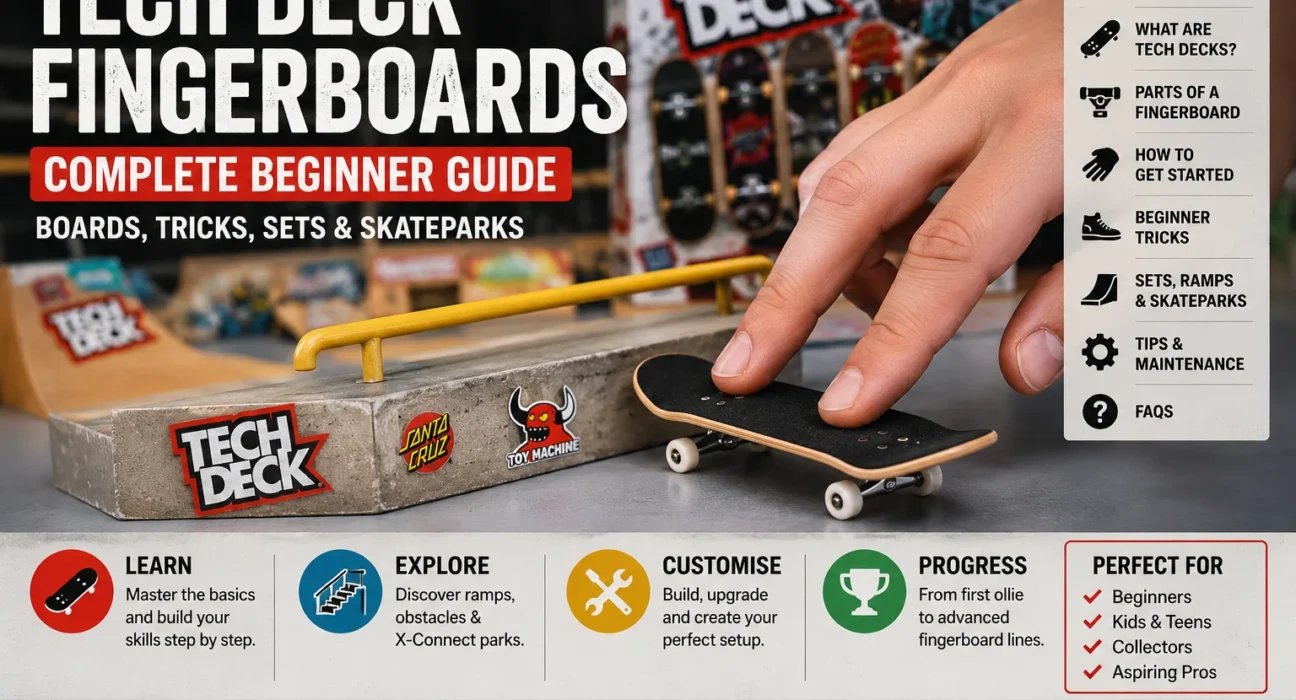
Tech Deck fingerboards take that concept much further. They recreate many recognisable parts of a real skateboard in miniature, including the deck, grip surface, trucks, wheels and graphics. Instead of riding with your feet, you control the board with your fingers and use movements inspired by real skateboarding to perform tricks.
For a beginner, the appeal is simple: you can practise almost anywhere. A desk can become a skate spot, a book can become a ramp, and purpose-built rails and obstacles can turn a small space into a miniature skatepark.
Tech Deck has also developed far beyond a single toy board. Current products include collectible fingerboards, customisable sets, ramps, X-Connect skateparks and higher-performance products designed to offer a more advanced fingerboarding experience. Official sets continue to feature graphics based on established skateboard brands, which is an important part of Tech Deck’s identity.
This beginner guide explains how Tech Decks work, what the different parts do, which type of set makes sense when starting, how to learn your first tricks and when it may be worth moving to more advanced equipment.
What Are Tech Deck Fingerboards?
Tech Deck fingerboards are miniature skateboards designed to be controlled primarily with your fingers.
A standard fingerboarding position normally uses the index and middle fingers in roughly the same way a skateboarder uses their front and back feet. By pressing, sliding and flicking the board, you can recreate miniature versions of skateboard movements such as ollies, flips, grinds and slides.
The boards are not simply flat pieces of plastic with wheels attached.
Depending on the model or series, a Tech Deck can include:
a shaped deck, grip surface, miniature trucks, bushings, wheels, axle hardware and skateboard-inspired graphics.
Current Tech Deck multi-board sets can also include separate decks, wheels, trucks, screws, nuts, stickers and a skate tool, allowing users to assemble and customise different combinations. Spin Master describes its current Sk8shop packs as including authentic graphics from real skate companies and components that can be mixed to build complete boards.
Why Are Tech Decks So Popular?
Part of the attraction is accessibility.
Traditional skateboarding requires a skateboard, suitable outdoor or indoor space and enough room to move safely. Fingerboarding requires far less space.
You can practise at a desk, on a table or on a small purpose-built setup.
There is also a collecting element.
Tech Deck has long used graphics associated with real skateboard companies. Current official product material mentions brands including Blind, Toy Machine, Santa Cruz, DGK and others across different releases.
For some people, the graphic matters almost as much as how the board performs.
Others are more interested in tricks.
Once you begin trying to land the same movement repeatedly rather than simply pushing the board around, fingerboarding becomes much more skill-based than it first appears.
Is a Tech Deck the Same as a Fingerboard?
A Tech Deck is a fingerboard, but not every fingerboard is a Tech Deck.
Fingerboard is the general term for a miniature skateboard operated with the fingers.
Tech Deck is a specific brand.
This distinction is useful because searches for terms such as tech deck tech deck or “finger skateboard” often come from people who are trying to identify the product rather than compare technical specifications.
There are many other fingerboard manufacturers, including specialist brands aimed at advanced riders.
Tech Deck occupies a broad space that includes affordable collectible boards, beginner products, playsets and more performance-focused models.
How Does a Tech Deck Work?
A fingerboard works because your fingers create the same basic forces that make many skateboard tricks possible.
Consider an ollie.
On a full-size skateboard, a rider applies force to the tail, lifts the front of the board and guides the deck through the air.
With a fingerboard, your middle finger usually applies pressure near the tail while your index finger guides the front of the board.
The movements are much smaller, but the principle is recognisable.
That is why good fingerboarding is not simply about throwing the board into the air and hoping it lands correctly.
Control comes from learning how pressure, timing and finger position affect the board.
Understanding the Parts of a Tech Deck
Before practising tricks, it helps to understand what each part of the board does.
| Part | Purpose |
|---|---|
| Deck | Main platform controlled by your fingers |
| Grip surface | Helps your fingers maintain control |
| Trucks | Connect the wheels to the deck and allow turning |
| Bushings | Affect how the trucks move and respond |
| Wheels | Allow the board to roll |
| Axles and hardware | Hold the trucks and wheels together |
| Graphic | Replicates the visual style of skateboard decks |
Different Tech Deck ranges can use different materials and components.
For example, Spin Master’s Performance Series has included real-wood fingerboards, foam grip tape, soft rubber wheels and rubber bushings. These are designed to create a different feel from more basic collectible models.
That does not mean a beginner must immediately buy a performance model.
A standard board is usually enough to learn the fundamental movements.
Choosing Your First Tech Deck Fingerboard
When you are just beginning, avoid making the buying decision more complicated than necessary.
Your first board mainly needs to let you learn:
pushing, turning, popping the tail, landing with two fingers and controlling the board after a trick.
A standard assembled fingerboard is perfectly reasonable for this.
If you are interested in customisation as well as tricks, a multi-board set can be more enjoyable. Some current Tech Deck Sk8shop packs include several decks plus spare wheels, trucks, screws, nuts and tools, allowing you to build different combinations.
Your choice therefore depends on what interests you most.
If you mainly want to learn tricks, start simple.
If collecting skateboard graphics matters to you, choose a design you actually like.
If you enjoy assembling and modifying things, a customisable tech deck fingerboard set makes more sense.
How to Hold a Tech Deck Correctly
One of the first mistakes beginners make is using too many fingers.
For most basic tricks, start with two.
Place your:
index finger towards the front half of the board;
middle finger towards the rear, usually around the tail.
Your hand should remain reasonably relaxed.
Pressing too hard can make the board difficult to control.
You also do not need to place the fingers perfectly every time. As you develop your own style, the exact positions will change slightly depending on the trick.
For an ollie, your middle finger needs enough control over the tail to create the pop.
For some flip tricks, the index finger also needs room to guide or flick the board.
Start With Rolling Control
Before attempting complicated tricks, learn to move the board naturally.
Push it forward across a smooth surface using your two fingers.
Practise changing speed without losing control.
Then practise turning.
Rather than lifting the board and placing it in another direction, use pressure through the trucks so the board changes direction while rolling.
This may sound basic, but good rolling control makes later tricks look far smoother.
A person who can perform a flip but cannot land and roll away cleanly has not yet developed complete control of the trick.
Your First Real Trick: The Ollie
The ollie is one of the most useful movements in both skateboarding and fingerboarding.
Once you can ollie reliably, you can begin jumping over objects, onto ledges and into other tricks.
Start by rolling slowly.
Place your middle finger on or near the tail and your index finger closer to the front of the board.
Press the tail down sharply with your middle finger.
As the front rises, guide the board forward and upward with your index finger.
Try to keep both fingers connected to the board rather than simply throwing it.
Then level the board before bringing it back down.
At first, your ollie may rise almost vertically or shoot away from you.
That is normal.
The goal should initially be control, not height.
Why Your Tech Deck Ollie May Not Work
If the board does not leave the surface, you may not be creating enough tail pop.
If it flies backwards, you may be pressing down without guiding it forward.
If it rotates unexpectedly, one finger may be applying uneven sideways pressure.
If your fingers separate from the board completely, you may be attempting the movement too aggressively.
Practise slowly.
A low ollie that lands correctly is more useful than a huge uncontrolled jump.
Once the motion begins to feel natural, increase the height gradually.
Beginner Tech Deck Tricks to Learn Next
After developing a consistent ollie, you can begin exploring other movements.
A sensible progression is:
manual – balancing temporarily on two wheels;
nose manual – the same idea using the front wheels;
180 – rotating the board half a turn;
boardslide – sliding the middle of the deck along an obstacle;
50-50 grind – grinding with both trucks on a ledge or rail;
kickflip – flipping the board along its long axis.
The kickflip is normally much harder than a basic ollie.
Do not worry if it takes substantially longer to learn.
Good tech deck skating develops through repetition, just like many physical skills.
How to Learn a Kickflip
A kickflip begins from a movement similar to an ollie.
Pop the tail and lift the board.
As the board rises, use your front finger to create a controlled sideways flick.
The board should rotate once along its length.
Then place your fingers back over the deck and land.
The difficult part is controlling the rotation.
Beginners often flick far too hard, making the board spin several times.
Others barely flick at all.
Practising the motion at low height can help you learn how much pressure is required.
Try to understand why the board moved in a particular way rather than simply repeating the same failed motion faster.
Tricks Become Easier When You Understand Finger Position
Your finger position changes how the board reacts.
For example, putting your rear finger too far forward can reduce the amount of leverage available when popping the tail.
Moving your front finger towards one edge can make flipping easier but may also reduce stability.
This is one reason experienced fingerboarders appear to reposition their fingers almost automatically before tricks.
They are preparing the board for a particular movement.
As a beginner, you do not need to memorise dozens of exact positions.
Pay attention to what happens when you move each finger slightly.
That experimentation is part of learning.
Do You Need Tech Deck Ramps?
No.
A flat table is enough for learning many basic tricks.
You can also practise using simple household objects, provided they are stable and will not damage the surface.
However, ramps and obstacles become more useful once you can ollie consistently.
They give you something to:
jump onto, grind, slide across, drop from or combine into a longer trick line.
Current Tech Deck ramp systems include rails, ledges, stairs, bowls and modular ramp pieces. Spin Master’s X-Connect sets are specifically designed so different obstacles and compatible sets can be rearranged into different skatepark layouts.
This is also why Tech Deck ramps deserve their own dedicated guide rather than being treated as a small part of this beginner article.
What Is an X-Connect Tech Deck Skatepark?
X-Connect is Tech Deck’s modular obstacle system.
Instead of buying one permanently fixed skatepark layout, compatible pieces can be connected in different arrangements.
Depending on the set, you may find:
ramps, rails, ledges, stairs, bowls, Hubba-style obstacles and connecting pieces.
The Neon Mega Park, for example, includes multiple ramp types, rails, stairs and more than one fingerboard, with components intended to be rearranged into different layouts.
This makes modular sets useful for someone whose skill level is improving.
You can create a simple layout while learning and make more complicated lines later.
Standard Tech Deck vs Performance Series
Not every Tech Deck is built in exactly the same way.
A standard collectible model is usually the most straightforward starting point.
The Tech Deck Performance Series moves closer towards enthusiast-style fingerboarding.
Official Performance Series products have included:
real wood construction, foam grip tape, soft rubber wheels and rubber bushings. Spin Master says the wooden board and ramp designs are intended to provide stronger pop and a more realistic performance feel.
The practical difference is feel.
A more performance-focused board may provide different grip, wheel behaviour and response.
That becomes easier to appreciate after you have already developed basic fingerboard control.
For a complete beginner, technique matters much more than owning the most advanced board.
Is the Performance Series Better for Tricks?
It can be better suited to someone who wants a more performance-oriented experience, but equipment does not automatically create skill.
If you cannot ollie reliably on a basic board, simply changing to a wooden deck will not instantly solve the problem.
However, once your technique improves, you may notice differences in:
pop, grip, wheel feel, turning and overall control.
That is why the best time to evaluate more advanced equipment is usually after you have enough experience to understand what you want to improve.
What Are Tech Deck Professional or Pro Models?
The word pro can appear in several contexts around Tech Deck.
Sometimes it simply refers to professional skateboard graphics or signature boards associated with real skaters.
Tech Deck has also released more premium or performance-oriented product lines.
Do not assume that every product containing the word “pro” is identical.
Check the actual construction and components.
When we cover the separate Tech Deck Professional Series article, it will make more sense to compare the specific product ranges directly rather than mixing that buying intent into this beginner guide.
Tech Deck Graphics and Real Skateboard Brands
Collecting is a major part of Tech Deck.
Rather than creating only fictional deck artwork, Tech Deck licenses graphics connected with recognised skateboarding companies.
Current official product material describes its decks as using authentic graphics from real skate companies. Examples appearing in current ranges include Toy Machine, Blind, Santa Cruz and DGK.
This creates two different types of Tech Deck user.
One person may buy a board because they want to practise tricks.
Another may want a particular graphic.
Many people do both.
That is why a board that performs similarly to another one can still feel more desirable because of its deck design.
What Comes in a Tech Deck Fingerboard Set?
Contents vary considerably.
A simple product may contain one complete fingerboard.
A customisation pack can contain multiple decks and enough hardware to create several boards.
A skatepark set might include a fingerboard plus ramps and rails.
For example, one current Sk8shop bonus pack includes an assembled fingerboard, five additional decks, grip material, wheels, trucks, screws, nuts, stickers and a tool.
By comparison, X-Connect playsets may include one or more boards along with obstacle components.
Before buying a tech deck fingerboard set, therefore, look at what is actually included rather than assuming every box contains the same type of equipment.
Should a Beginner Buy One Board or a Full Set?
One board is enough to start.
A larger set becomes worthwhile when you know what you enjoy.
If you discover that you mainly enjoy collecting graphics, buying several decks may make sense.
If you enjoy tricks, an obstacle set may provide more value.
If you enjoy customisation, choose a pack containing spare hardware and decks.
Buying a huge skatepark before learning basic board control can sometimes create the opposite of what you want: lots of obstacles but very few tricks you can actually use on them.
Learning first and expanding second is usually the more satisfying route.
How to Make a Simple Fingerboard Practice Area
You do not need an elaborate setup.
Start with one smooth section of desk or table.
Give yourself enough run-up distance to roll comfortably.
Then introduce one low object.
For example, a small stable ledge can help you practise ollies.
Once that becomes easy, add another obstacle and try linking movements together.
Eventually your practice area can include:
a rail, stair set, quarter pipe, bank, ledge and landing area.
A good miniature skatepark should help you practise tricks rather than simply look impressive.
What Is a Fingerboard Line?
A line is a sequence of tricks performed together.
For example:
roll towards a ledge;
ollie onto it;
50-50 grind;
drop off;
then perform a kickflip.
Practising lines changes fingerboarding significantly.
Instead of concentrating on one isolated trick, you need to control speed, positioning, landing and the transition into the next movement.
This makes Tech Deck skating feel much closer to miniature skateboarding.
It also gives ramps and skatepark pieces a clearer purpose.
How to Improve Faster at Fingerboarding
The biggest improvement usually comes from deliberate repetition.
Choose one trick.
Perform it slowly.
Notice what went wrong.
Adjust one thing.
Repeat.
Avoid changing five things at once.
If your ollie keeps drifting left, for example, examine whether your fingers are applying sideways pressure.
If a kickflip rotates too much, reduce the flick rather than changing your entire hand position.
You can also practise landing deliberately.
Instead of judging a trick successful merely because the board touches the table again, aim to land with both fingers positioned naturally above the deck and continue rolling.
That creates much better control.
Keep Your Tech Deck in Good Condition
Fingerboards are small, which means small problems can affect them noticeably.
Check the wheels occasionally to make sure they still turn freely.
If hardware becomes loose, use the appropriate miniature tool rather than forcing it with something unsuitable.
Inspect the trucks if the board begins turning strangely.
Keep the grip surface reasonably clean so your fingers can maintain predictable contact.
If your board came with removable or customisable parts, remember that the screws and nuts are tiny.
Work over a clear surface when making adjustments so dropped parts are easier to find.
Should You Tighten or Loosen the Trucks?
Truck tightness affects turning.
Very tight trucks can make the board feel stable but limit movement.
Looser trucks may turn more easily but can feel less predictable to a beginner.
There is no single perfect setting.
Start with a setup that feels controlled.
Then make small adjustments.
Do not loosen hardware dramatically in one attempt.
Tiny changes can make a noticeable difference on a miniature board.
Are Tech Decks Only for Children?
Tech Deck products are sold as toys, and current official listings commonly identify individual products and sets for ages six and above.
Fingerboarding itself, however, is not limited to one age group.
Some people enjoy it casually.
Others treat it as a technical hobby involving customised wooden decks, specialist obstacles and highly developed tricks.
The skill element means someone can continue improving long after they understand the basic concept.
It is therefore more useful to think of Tech Deck as an accessible entry point into fingerboarding rather than assuming the entire activity belongs to one age range.
Tech Deck vs a More Advanced Fingerboard
Once someone becomes serious about fingerboarding, they may begin looking at specialist boards.
Those can use different:
deck shapes, wooden constructions, trucks, bearings, wheels and grip materials.
The differences matter more to experienced users because they already know how they want the board to respond.
For a beginner, this comparison can become a distraction.
A standard Tech Deck gives you enough functionality to discover whether you actually enjoy fingerboarding.
If you eventually become limited by the setup rather than by your technique, that is a much better time to consider upgrading.
Common Beginner Mistakes
Trying complicated tricks too soon is probably the most common problem.
A beginner sees a kickflip or rail trick and immediately tries to recreate it without first learning to pop the board consistently.
Another mistake is lifting the hand excessively.
Good tricks depend on finger control, not simply carrying the board upwards with your hand.
Beginners may also practise on surfaces that are too rough or cluttered.
A smooth, predictable practice area makes it easier to understand how the board itself is moving.
Finally, do not compare your first week with someone’s fifth year.
Fingerboarding can look effortless when performed by an experienced person precisely because they have repeated the movements thousands of times.
A Simple Seven-Step Beginner Progression
If you want a straightforward route into Tech Deck fingerboards, use this progression:
- Learn to roll and turn naturally.
- Practise stopping and changing speed.
- Learn a controlled ollie.
- Ollie over a small object.
- Learn manuals and 180s.
- Practise a simple grind or slide.
- Begin learning flip tricks such as the kickflip.
Do not treat the stages as strict rules.
They simply prevent you from skipping the control skills that make advanced tricks easier later.
Frequently Asked Questions
What is a Tech Deck fingerboard?
A Tech Deck fingerboard is a miniature skateboard controlled using your fingers. It includes skateboard-inspired components such as a deck, trucks, wheels and grip surface, and many models feature graphics licensed from established skateboarding brands.
Are Tech Decks good for beginners?
Yes. A basic Tech Deck provides enough functionality to learn rolling, ollies, manuals, grinds and early flip tricks without requiring specialist equipment.
Which fingers do you use for Tech Deck?
Most fingerboard tricks are performed primarily with the index and middle fingers. The index finger generally controls the front portion of the board while the middle finger helps control the rear and tail.
What is the easiest Tech Deck trick?
Basic rolling and turning should come first. The ollie is then one of the most important tricks to learn because it becomes the foundation for jumping onto obstacles, grinding and progressing into more complex tricks.
Can you do real skateboard tricks on a Tech Deck?
Many fingerboard tricks are miniature interpretations of skateboard tricks, including ollies, kickflips, manuals, grinds and slides. The finger movements are obviously different from riding a full-size skateboard, but much of the terminology and trick logic comes directly from skateboarding.
Do Tech Deck fingerboards have real skateboard graphics?
Many do. Tech Deck currently markets fingerboards featuring licensed graphics associated with real skateboard companies.
What is a Tech Deck fingerboard set?
A set can contain one or more fingerboards plus additional components. Depending on the product, this may include spare decks, wheels, trucks and tools or ramps, rails and other skatepark obstacles.
Do you need ramps to use a Tech Deck?
No. A flat surface is enough for learning basic control and many tricks. Ramps become more useful as you begin practising grinds, drops, transitions and longer trick lines.
What is the Tech Deck Performance Series?
The Performance Series is a more performance-focused Tech Deck range. Official examples have used real wood, foam grip tape, soft rubber wheels and rubber bushings to provide a different feel from basic models.
Can Tech Deck ramps connect together?
Some can. Tech Deck’s X-Connect system is designed around compatible modular pieces that can be rearranged and combined into different skatepark layouts.
Final Thoughts
Tech Deck fingerboards are easy to understand but surprisingly difficult to master.
At the most basic level, you place two fingers on a miniature skateboard and move it across a table.
Once you begin learning controlled ollies, flips, grinds and lines, however, fingerboarding becomes a skill built around timing, pressure, coordination and repetition.
Beginners do not need an advanced board or a giant skatepark immediately. One reliable fingerboard and a smooth practice surface are enough to learn the fundamentals.
From there, you can decide which side of the hobby interests you most.
You might build a collection of skateboard graphics, customise different boards, create a miniature skatepark, move into Performance Series equipment or focus almost entirely on improving tricks.
A tech deck fingerboard set can expand what you can do, while ramps and rails create new challenges, but the most important part remains the same: learning to control the board.
Master the simple movements first, and the more impressive side of Tech Deck skating becomes much easier to reach.